With today’s software-driven systems, advanced electronics, and nearly limitless integration possibilities, engineers can design machines that are more powerful, more connected, and more feature-rich than ever before. From intelligent control systems in heavy-duty vehicles to highly configurable dashboards in marine and specialty vehicle applications, the technical possibilities continue to expand at an extraordinary pace. However, this progress has introduced a subtle and growing problem. Just because we can add functionality, does not mean we should.
Across industries, human-machine interfaces are becoming increasingly complex. Not because users demand it, but because technology allows it. In many cases, that complexity is quietly eroding usability, efficiency, and even safety.
The shift that needs to happen is clear. It is not about designing for what is possible. It is about designing for what is usable.
 Design for reality: interfaces must work despite vibration, weather, noise, pressure, and physical constraints.EAO
The Capability Trap: When More Becomes Less
At the heart of this challenge is what can be called the capability trap. Modern systems are often designed from the inside out. Engineers begin with what the system can do, then build an interface to expose those capabilities. Over time, additional features, options, and controls accumulate, making the interface increasingly complicated. The result is an interface that reflects the system’s technical depth, but not the user’s actual needs.
This approach leads to a familiar outcome. Interfaces become crowded. Navigation becomes complex. Users rely on only a small fraction of available functions, while the rest remain unused or misunderstood.
A simple analogy illustrates this clearly. Consider a household washing machine. Many models offer twenty or more programs. In reality, most users rely on two or three. The additional options do not enhance the experience. They create confusion. When a user cannot immediately understand how to operate a system, end-user frustration can occur, leading users to default to what is familiar or avoid engaging with the full capability altogether. The same principle applies in harsh or non-road operating environments, but with far greater consequences. In a consumer setting, confusion may lead to inconvenience. In a working environment, it can lead to inefficiency, frustration, or even risk.
This is especially true in sectors such as agriculture, construction, and marine applications. Operators in these environments are not interacting with machines in ideal conditions. They are dealing with external factors such as vibration, weather, noise, time pressure, and physical constraints such as gloves or limited visibility. In these contexts, the interface must support the user, not challenge them.
An overloaded interface increases cognitive load. It forces the operator to think, search, and confirm actions rather than to act instinctively. That delay, even if small, accumulates over time and can impact productivity. More importantly, it can distract from the primary task, which is often operating complex equipment safely.
 Use touchscreens where context matters. Keep critical, high-precision actions physical.EAO
From Feature-Rich to User-Ready
Designing for use means starting from a different place. Instead of asking what the system can do, the question becomes what the user actually needs to accomplish. This shift may seem subtle, but it fundamentally changes the design process.
When user needs come first, many assumptions are challenged. Not every function deserves equal visibility. Not every capability needs to be directly accessible at all times. Some features may be rarely used and better placed in secondary menus or service modes. Others may not be necessary at all.
This is where simplicity becomes a competitive advantage. Simplicity is not about streamlining features and removing capability. It is about organizing it in a way that aligns with real-world use.
One of the most important distinctions in HMI design is between primary and secondary functions. Primary functions are those that must be accessed quickly, frequently, or without visual attention. These are often tied to real-time operation – such as steering, acceleration, and braking for directional control. Secondary functions are those that can be accessed when the machine is stationary or when the operator has time to focus on a display. These can include settings and configurations, navigation and menu displays, or comfort and convenience features.
When this distinction is applied well, the interface feels more intuitive. A “mixed-technologies” approach often delivers the optimal combination of devices, balancing essential and nonessential functions. Physical controls can be used for critical, real-time interactions. Touchscreens or digital interfaces can handle configuration, diagnostics, and less time-sensitive tasks. This approach reduces clutter while preserving usability.
Another key consideration is feedback. Users need to know that their input has been received and executed. Physical controls provide this naturally through tactile response and quick, understandable visual recognition. Digital interfaces must replicate this feedback visually or through haptics. Without clear feedback, uncertainty increases, and users may repeat actions or hesitate.
The importance of feedback becomes even more pronounced in challenging environments. If an operator cannot rely on visual confirmation due to motion or conditions, tactile or audible cues become essential. This is one reason physical controls continue to play a vital role in many applications, as commonly found in automotive-type systems. They provide a level of certainty that purely digital interfaces still struggle to match.
That said, the goal is not to reject digitalization. Digital interfaces offer significant advantages in flexibility and scalability. A single screen can support multiple configurations, adapt to different use cases, and provide rich information. The challenge is integrating these capabilities without overwhelming the user.
This is where hybrid design approaches utilizing “mixed-technologies” are gaining traction. Instead of choosing between physical and digital controls, designers are combining them strategically. Multi-functional knobs, context-sensitive buttons, and integrated displays allow a single control to serve multiple purposes while maintaining tactile interaction. This reduces the number of physical components without sacrificing usability.
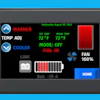
Touchscreens are effective when used where they add real value, such as monitoring, navigation, and configuration tasks that benefit from visual context, while avoiding use in safety-critical functions or situations requiring high precision or immediate access under dynamic conditions.
 Intuitive control starts with simplicity. Thoughtful design prioritizes what matters most.EAO
Designing the Process, Not Just the Interface
Beyond the interface itself, the design process must also evolve. Traditional engineering workflows often involve defining requirements, developing solutions, and then validating them late in the process. In a user-centered approach, validation happens early and continuously.
This is where methods such as design thinking come into play. By engaging users from the beginning, even with simple prototypes, teams can gather feedback dynamically before investing heavily in development. These prototypes do not need to be sophisticated. In many cases, basic mockups are enough to reveal whether an interface makes sense to the intended user.
Early feedback can prevent costly missteps. It can highlight assumptions that do not hold up in practice. It can also uncover needs that were not initially considered. Most importantly, it ensures that the final product aligns with how people actually work, not how designers assume they work.
There is also a cultural aspect to this shift. Engineers are trained to solve problems and optimize systems. This often leads to a focus on performance, efficiency, and technical excellence. While these are essential, they must be balanced with empathy for the user.
Designing for use requires stepping outside of the engineering mindset and observing how systems are interacted with in real conditions. It requires asking questions, listening to feedback, and being willing to simplify rather than add. It also requires restraint. Not every idea needs to be implemented. Not every feature adds value. In fact, the discipline to say no is often what distinguishes a good interface from a great one.
Looking ahead, emerging technologies such as voice control and AI-assisted interfaces promise to further expand what is possible. These tools have the potential to simplify interaction by allowing users to communicate with machines more naturally. However, they are not a universal solution. Reliability, accuracy, and context awareness remain challenges, particularly in noisy or unpredictable environments.
As with any technology, their success will depend on how well they are integrated into the overall user experience. They should complement existing interaction methods, not replace them entirely.
Ultimately, the future and success of HMI design will not be defined by how much functionality can be packed into a system. It will be defined by how effectively that functionality is delivered to the user.
Designing for use means recognizing that the best interface is not the one with the most features. It is the one that allows users to accomplish their tasks confidently, safely, efficiently, and without unnecessary effort.
In a world where capability continues to grow, usability becomes the true differentiator. The companies that succeed will be those that understand this balance and design accordingly.
Because in the end, a system is only as good as its ability to be used.